Overview
If you have multiple organizations, having clear organization names allows for easy navigation.
How to Edit Organization Details
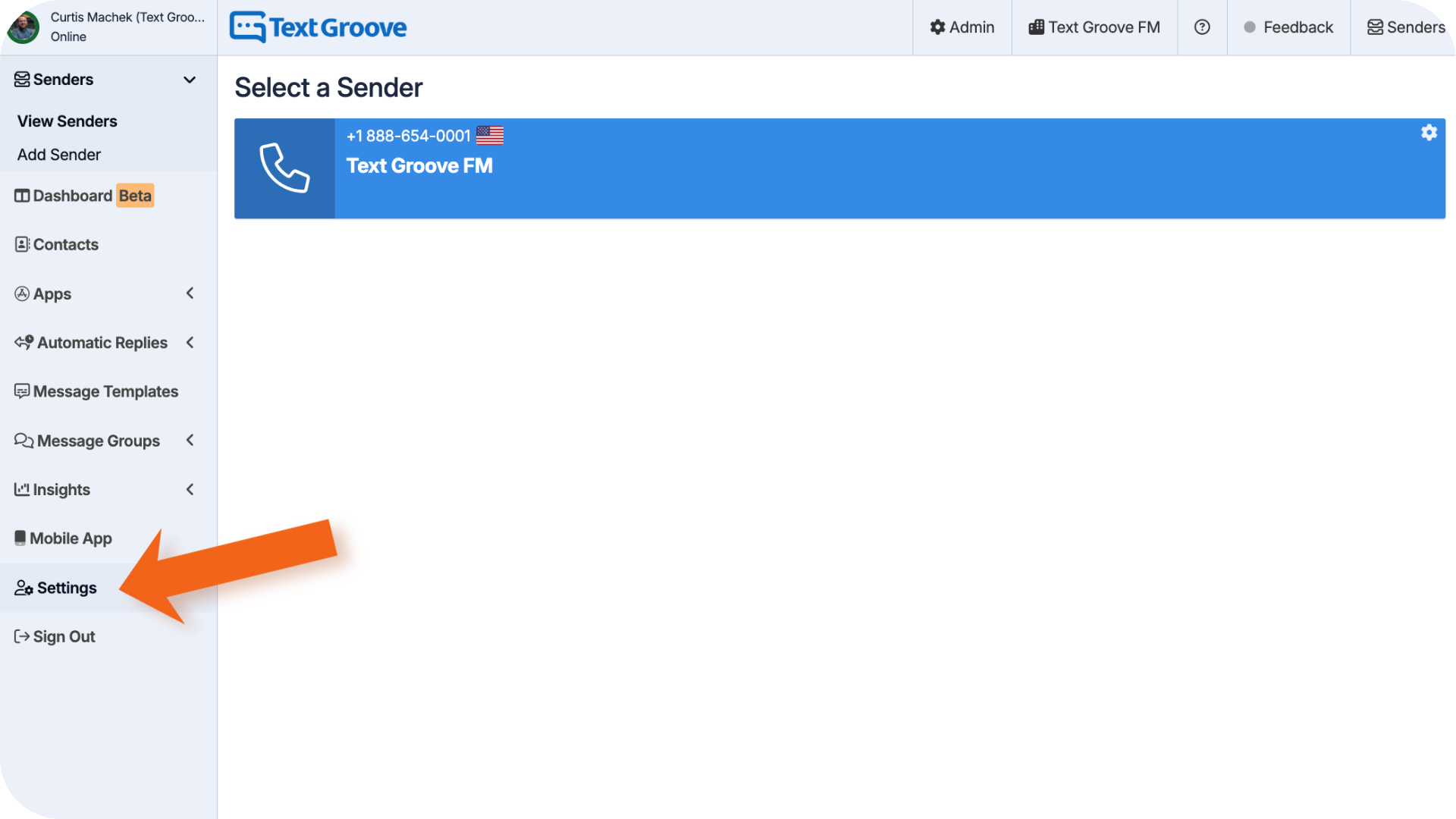
- In the left side menu, click Settings
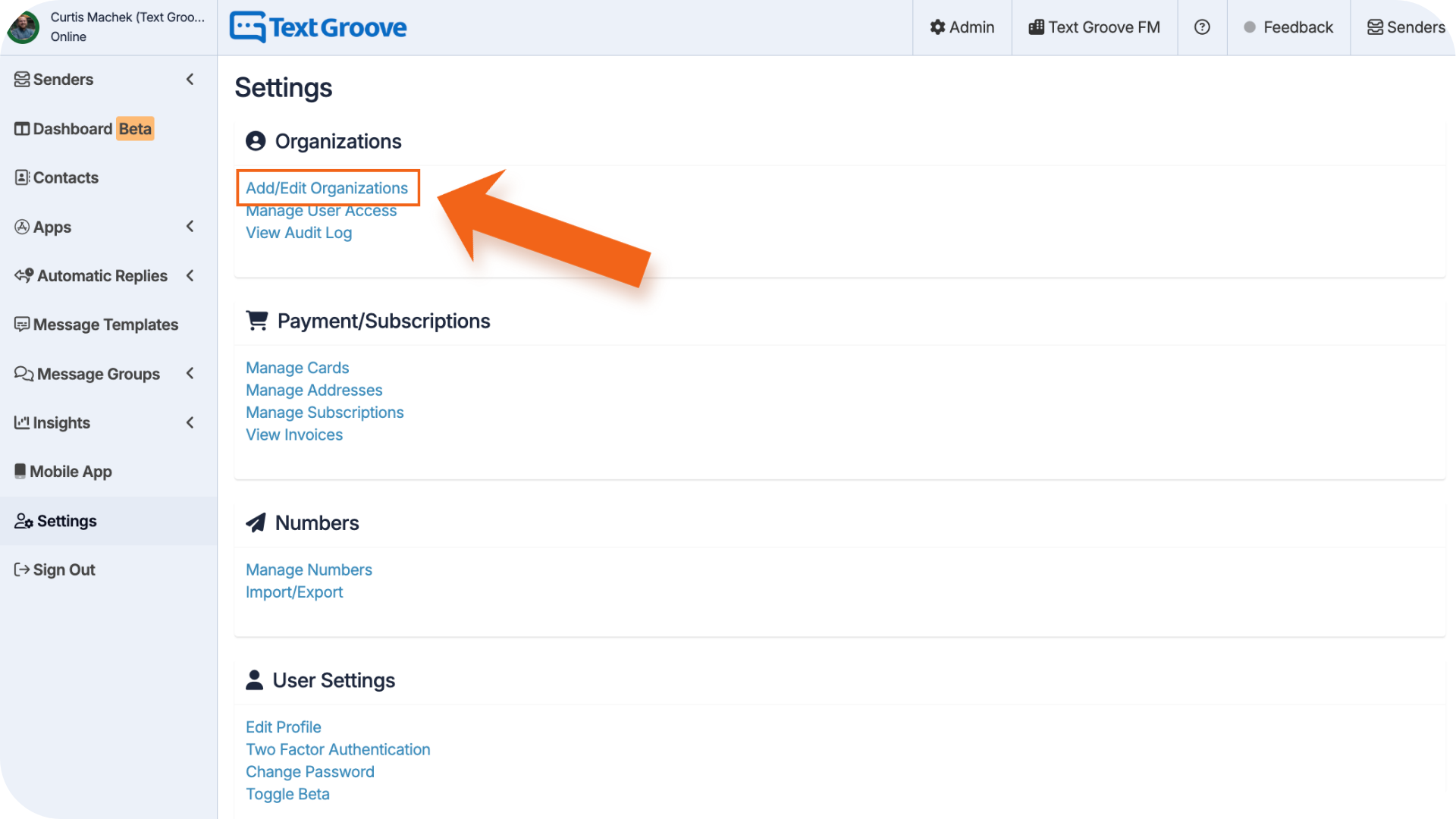
- Under Organizations click Add/Edit Organizations
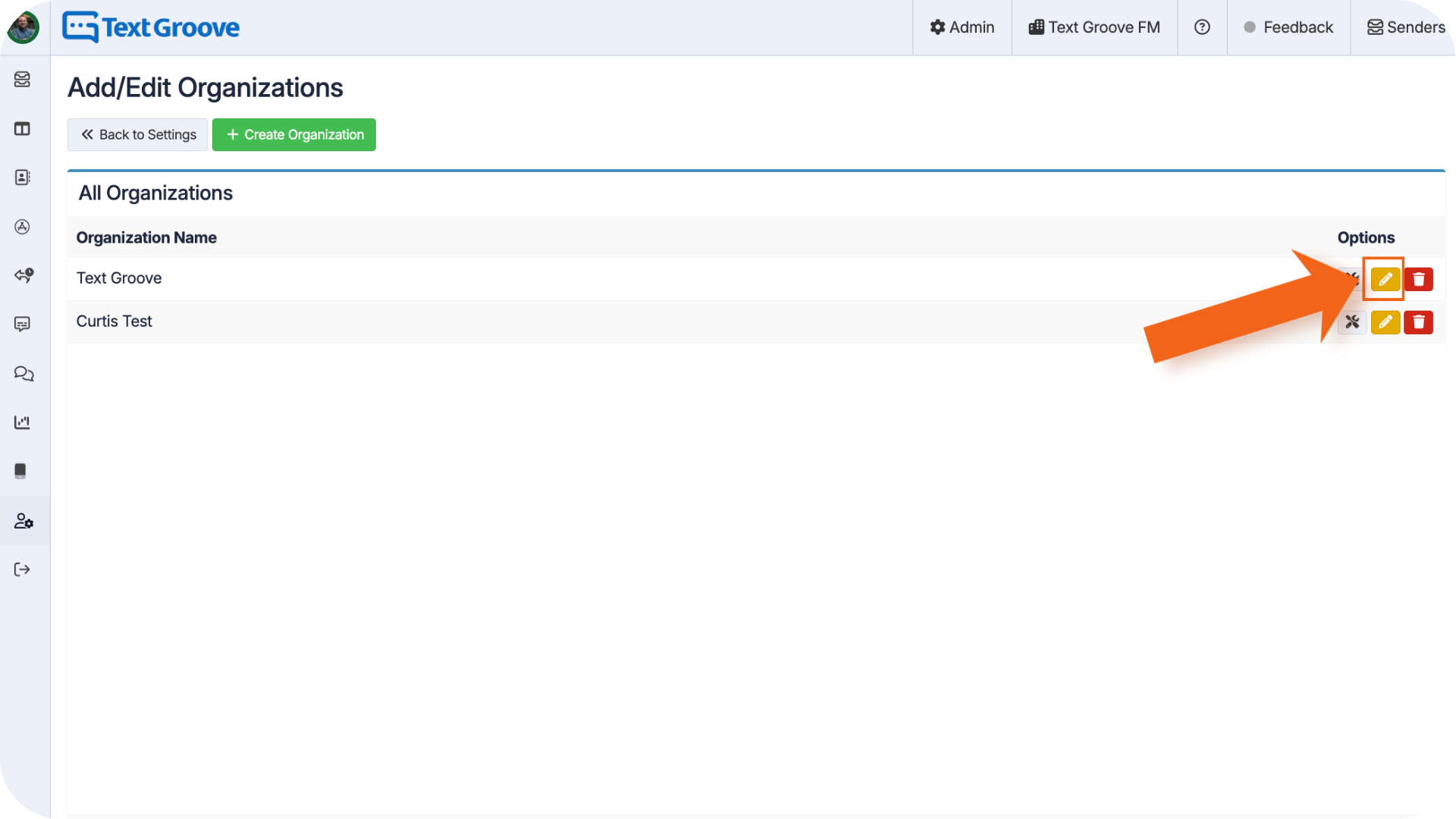
- On the right hand side of the organization you want to edit, click the yellow pencil icon Edit Organization
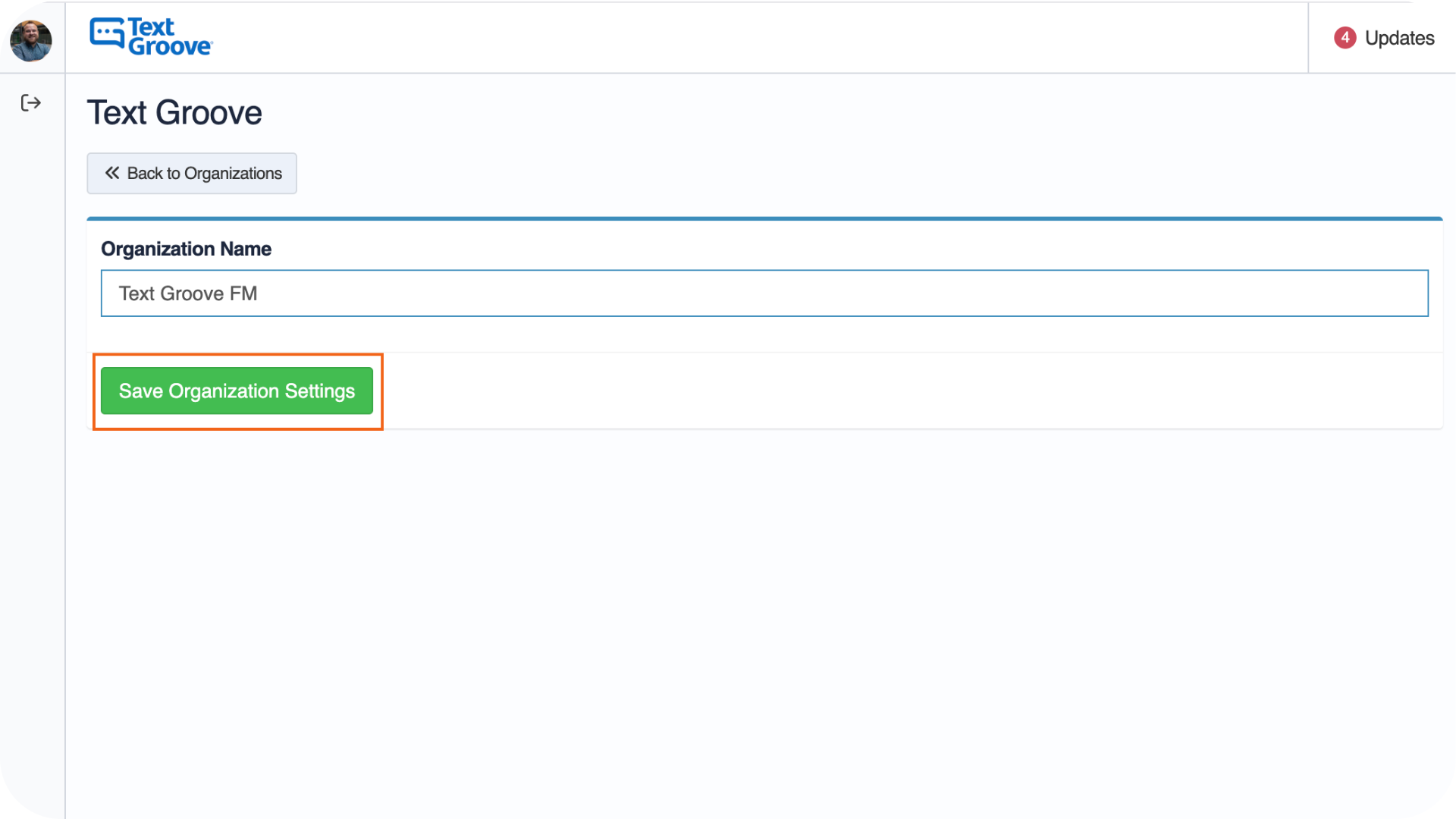
- This will allow you to edit the organization's name, click Save Organization Settings to make the change
**Note: If you notice the change doesn't update right away, try a hard reset (CMD + SHIFT + R), switch into a different organization and then back again, or log out and back in again **
Was this article helpful?
That’s Great!
Thank you for your feedback
Sorry! We couldn't be helpful
Thank you for your feedback
Feedback sent
We appreciate your effort and will try to fix the article