Overview
The AMOE App gives listeners a way to enter your contest without texting in. It creates a custom link that users can click to submit their entry online. This ensures your contests are accessible and compliant with contesting rules that require a no-purchase, alternate way to enter.
Adding the AMOE App
To install the AMOE App:
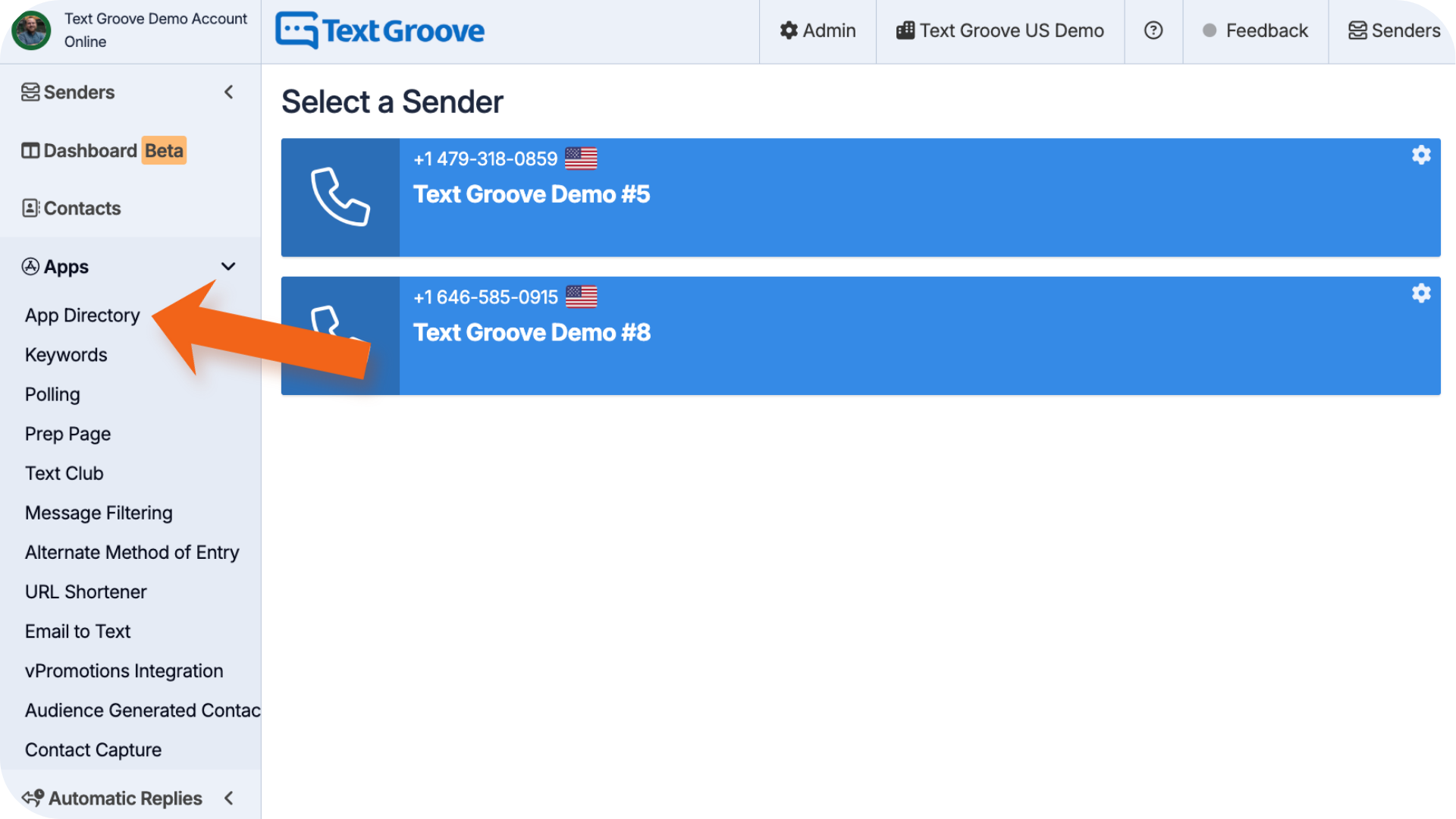
- Go to the App Directory in Text Groove
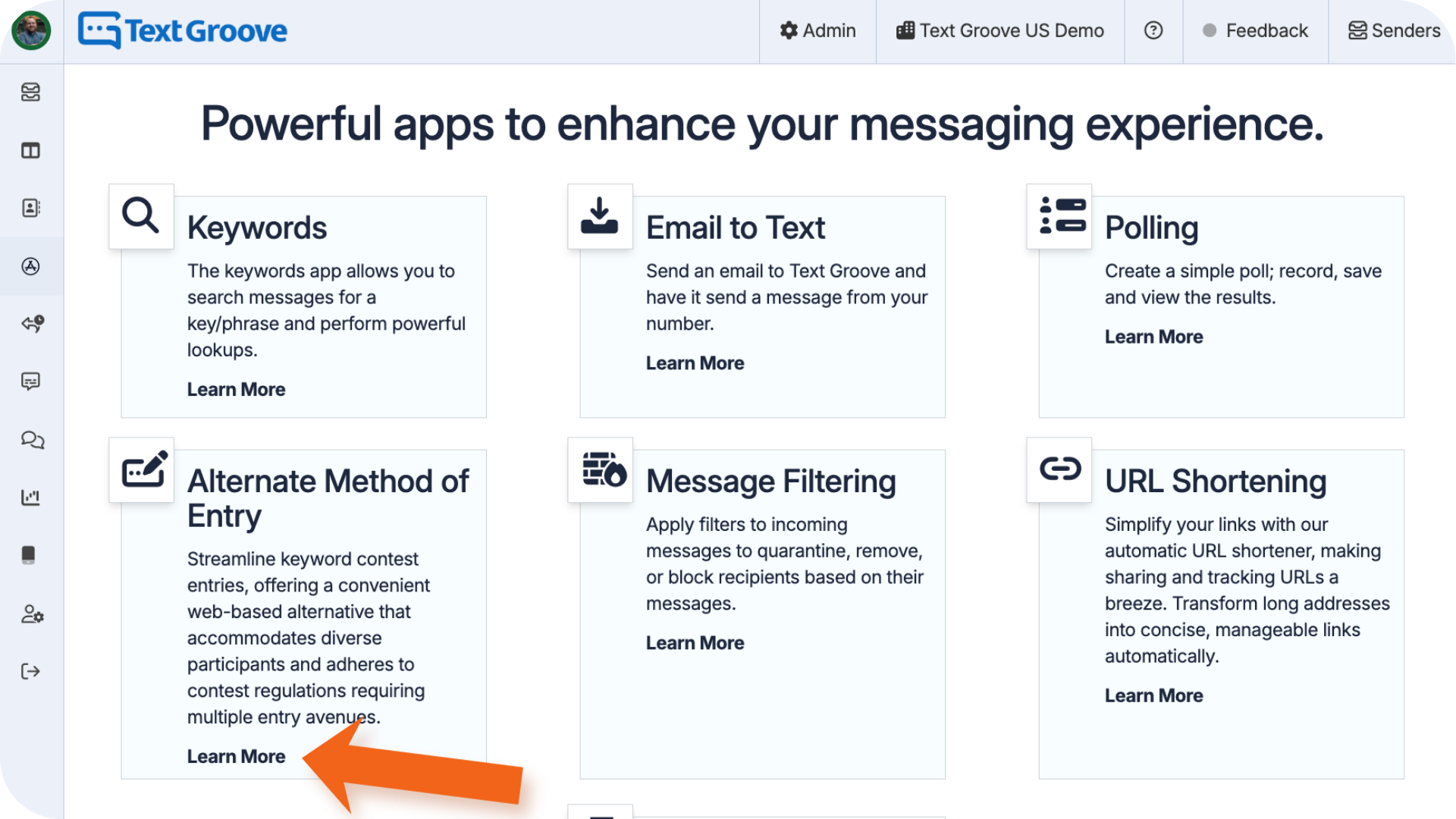
- Find AMOE App and click Learn More
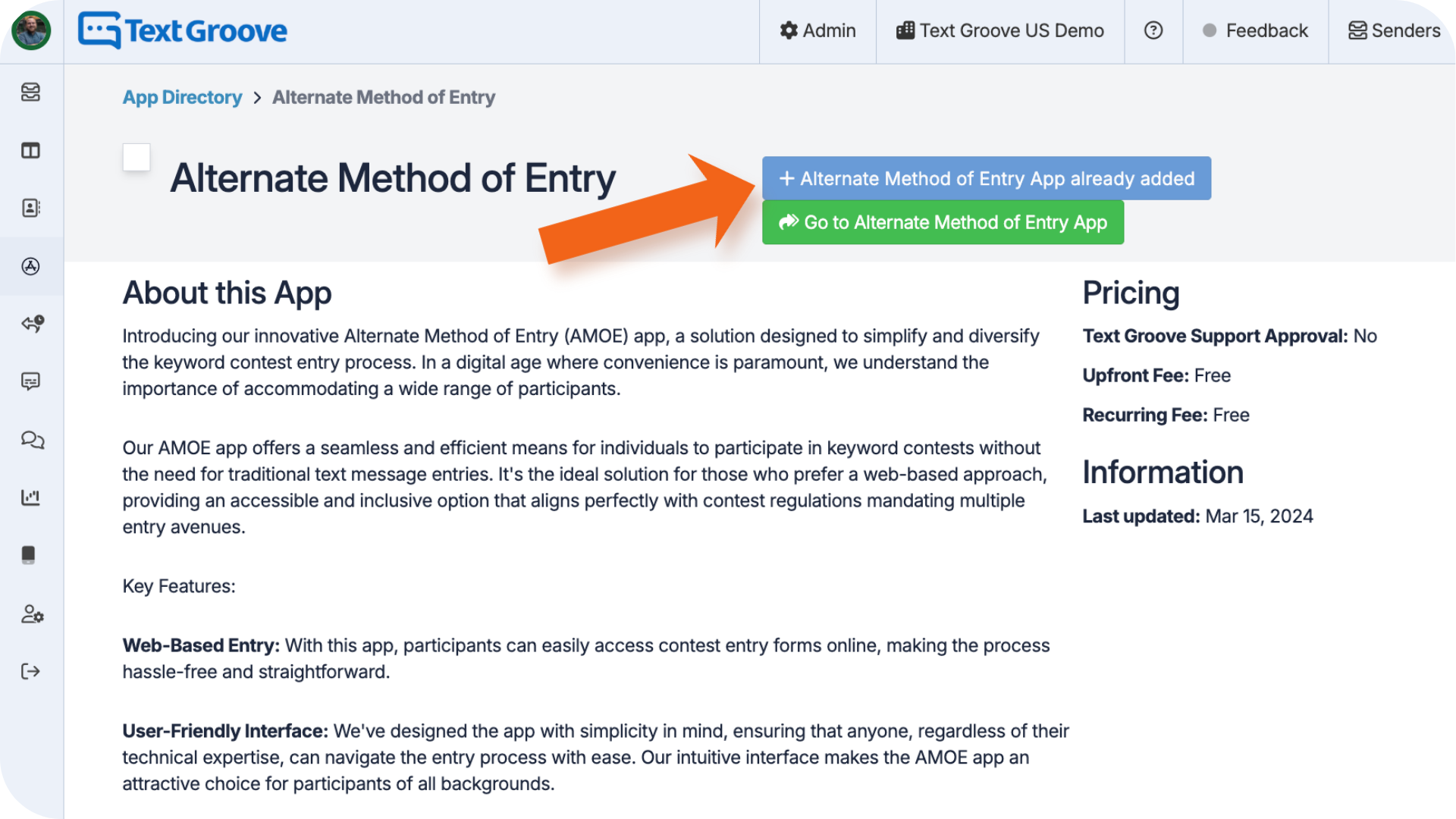
- Click Install (if the app is already installed the button will be greyed out)
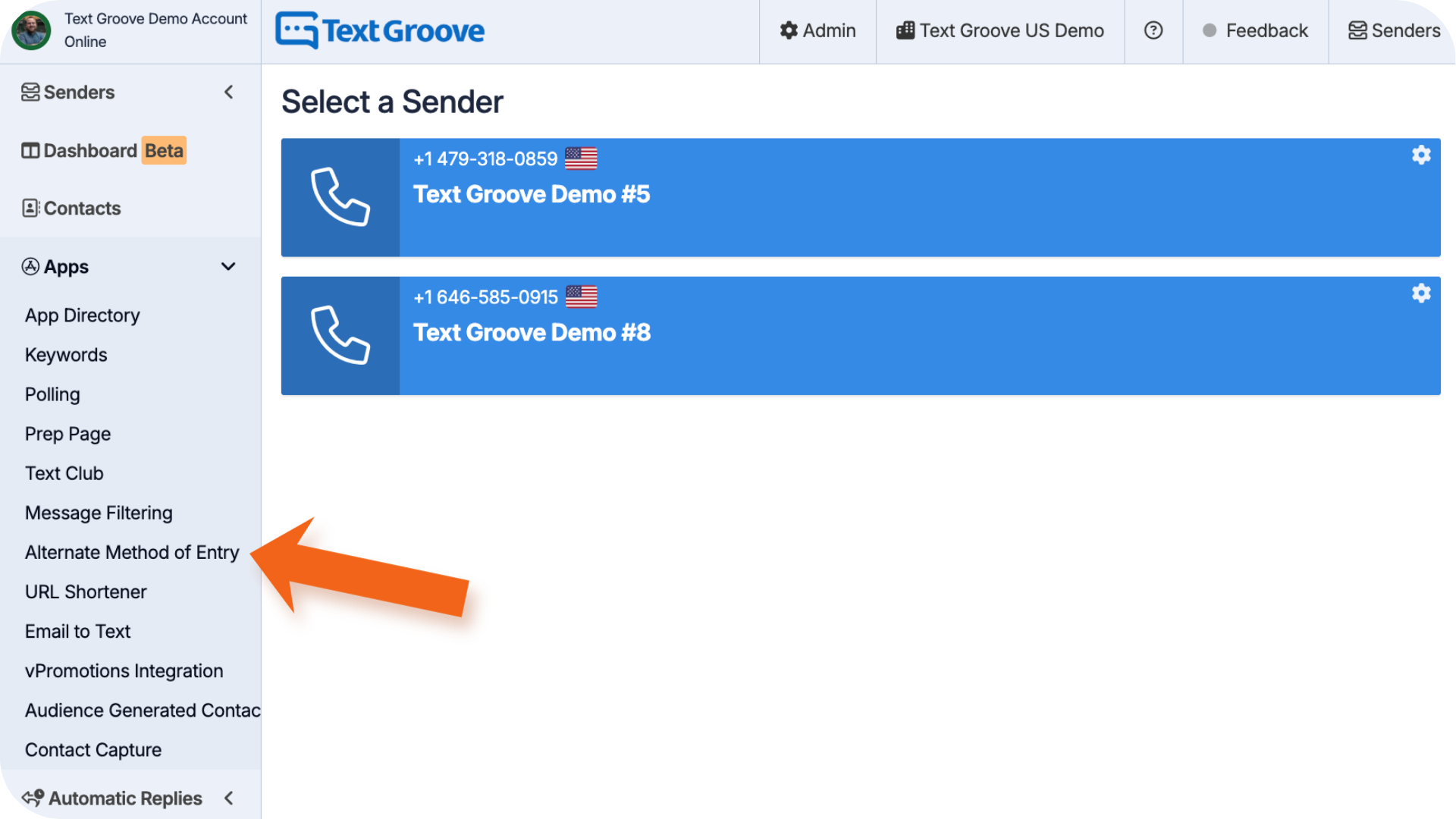
Once added, the app will appear in the Apps section on the left side menu.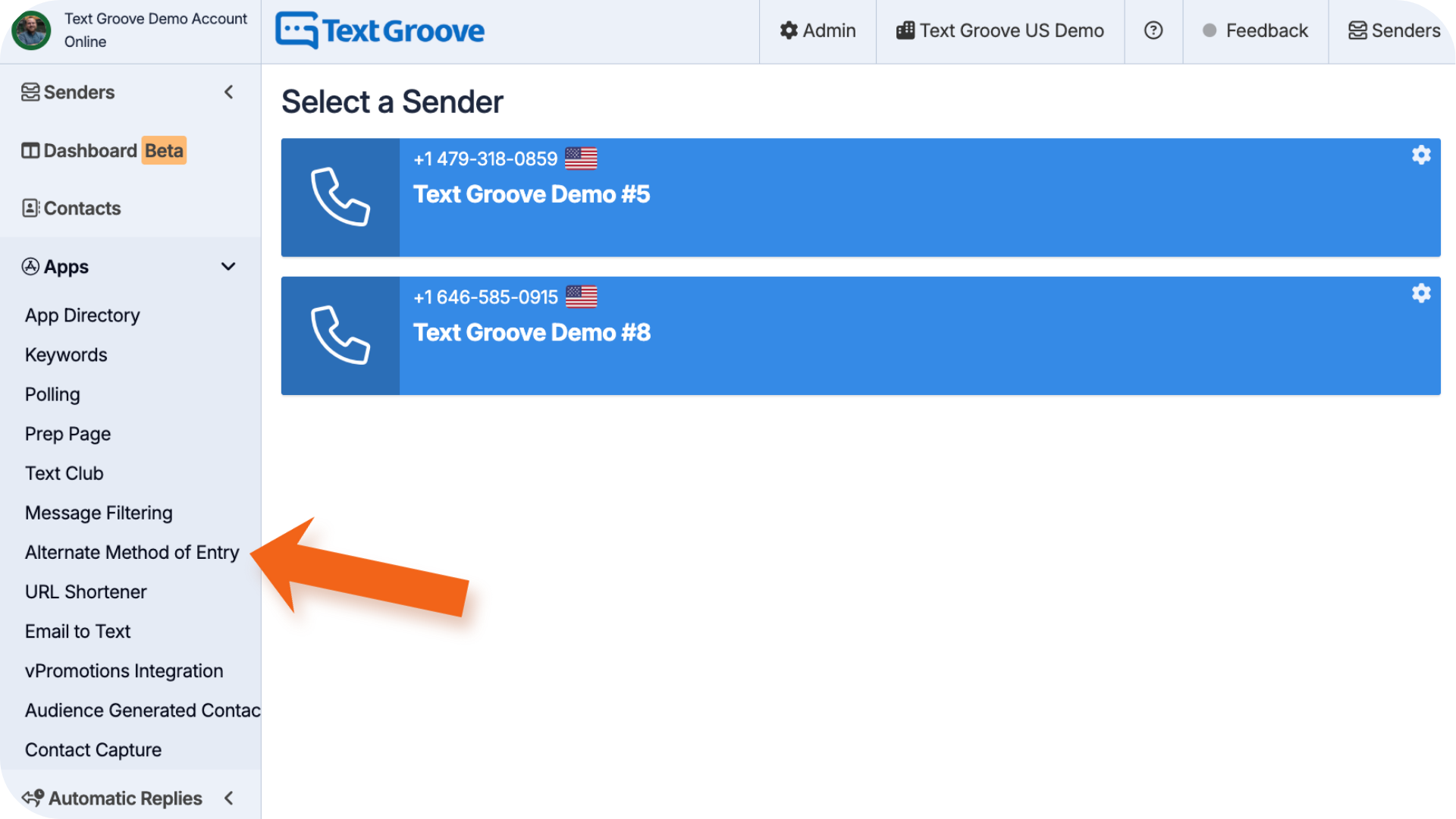
Setting Up the AMOE App
- Click into the AMOE App from the left side menu
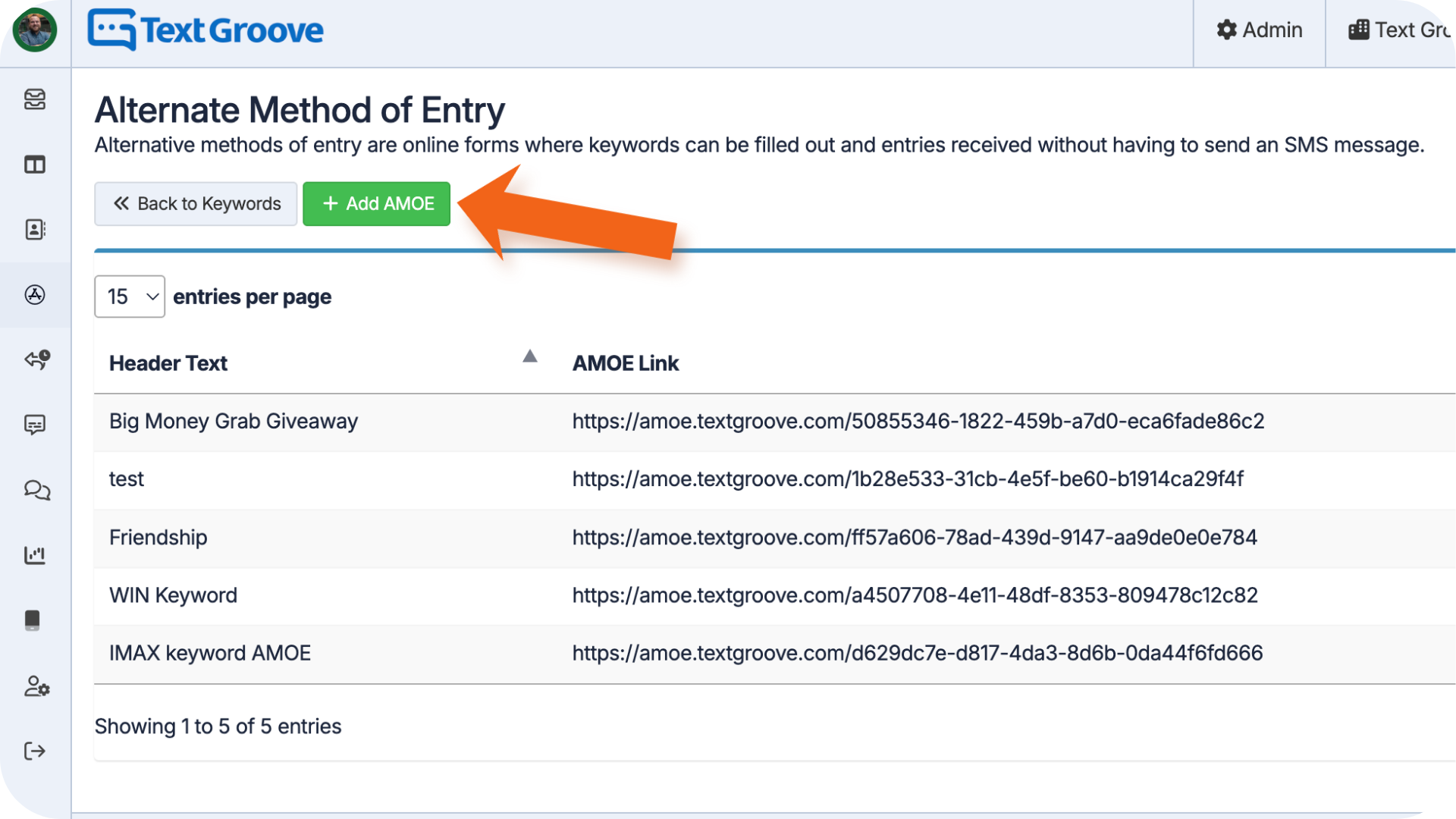
- Click the green + Add AMOE button
3. Fill out the form:
- Assign to Sender – Choose the number this applies to
- Header Text – Add the contest name
- Contest Instructions – Include any entry info or rules
- Privacy Policy Link – Paste the URL to your station's privacy policy
- Contest Rules Link – Paste the URL to your full contest rules
4. Click Add AMOE when you're done.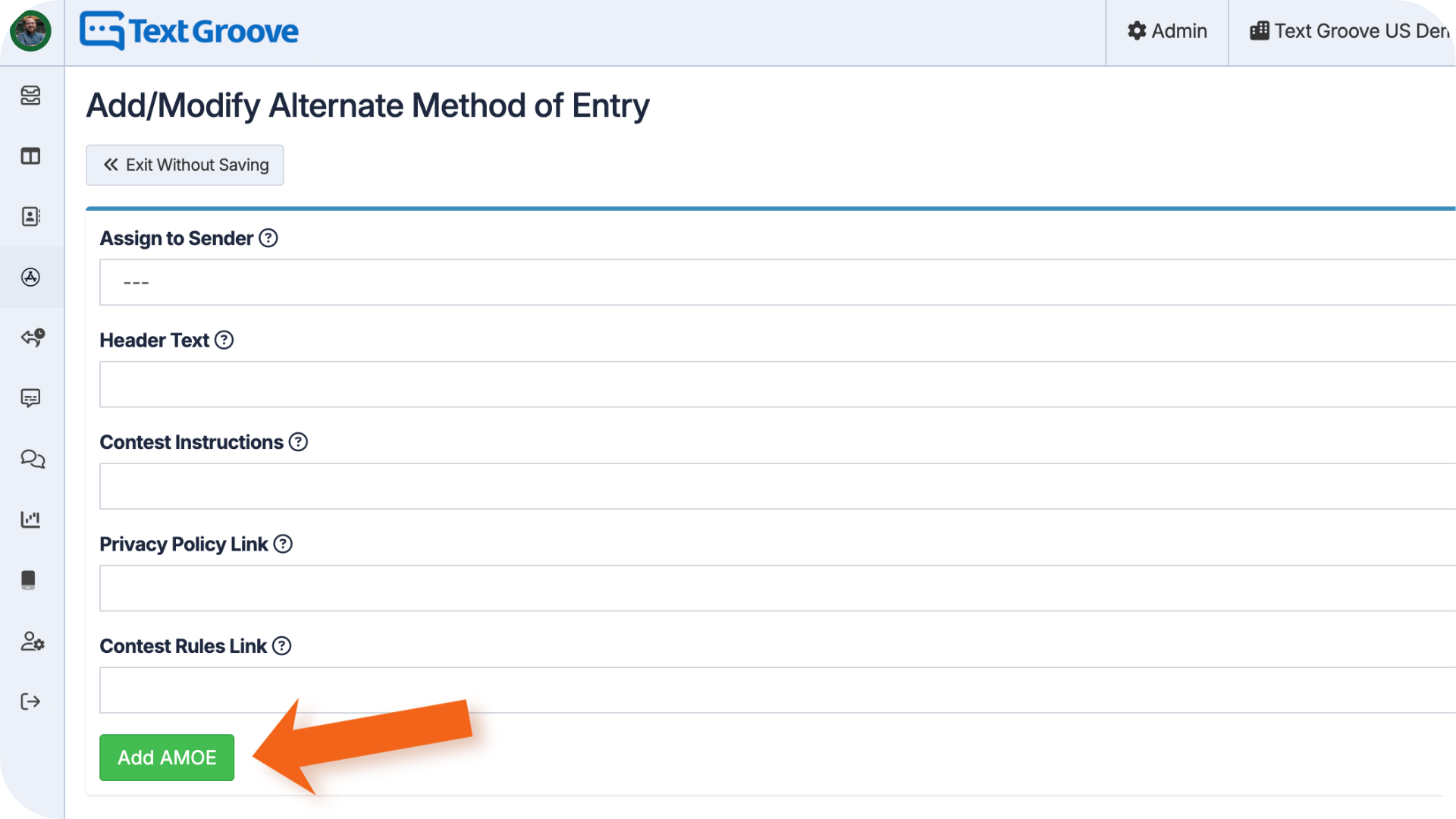
How It Works
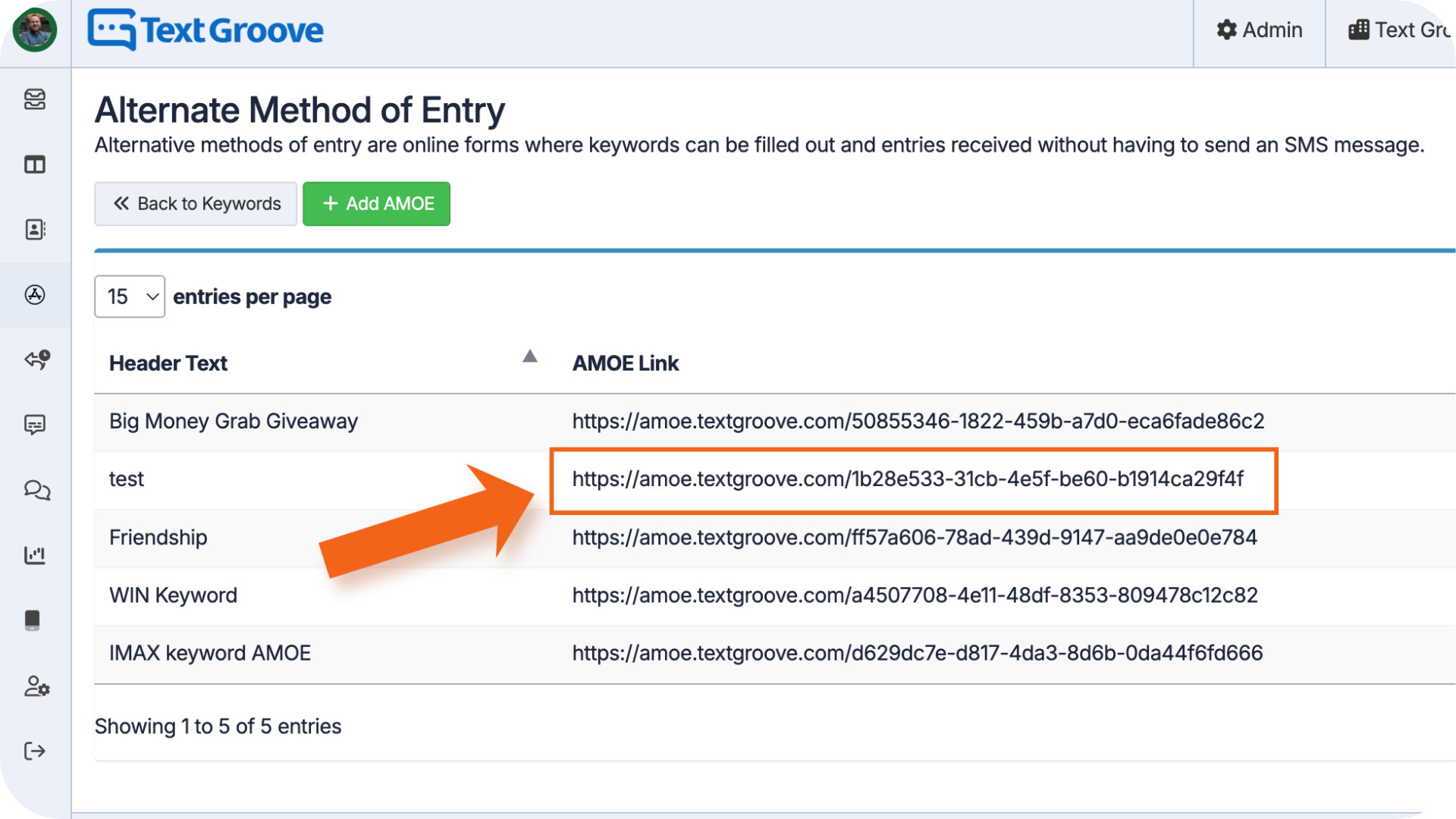
Once your AMOE is created, you’ll get a shareable URL. You can send this to any listener who wants to enter without texting.
- When someone enters through the AMOE form, their entry shows up on the keyword stats page. If they win, their entry will be flagged as Alternative Method of Entry, so you’ll know to follow up by phone rather than text.
Was this article helpful?
That’s Great!
Thank you for your feedback
Sorry! We couldn't be helpful
Thank you for your feedback
Feedback sent
We appreciate your effort and will try to fix the article