Overview
The URL Shortener App helps make your links clean, short, and deliverable. It automatically shortens long URLs in messages, which helps you avoid spam filters and improves how your message looks.
Carriers often block public shorteners like Bitly or TinyURL. Using this built-in app ensures your links are safe and compliant.
How to Add the URL Shortener App
To install the app:
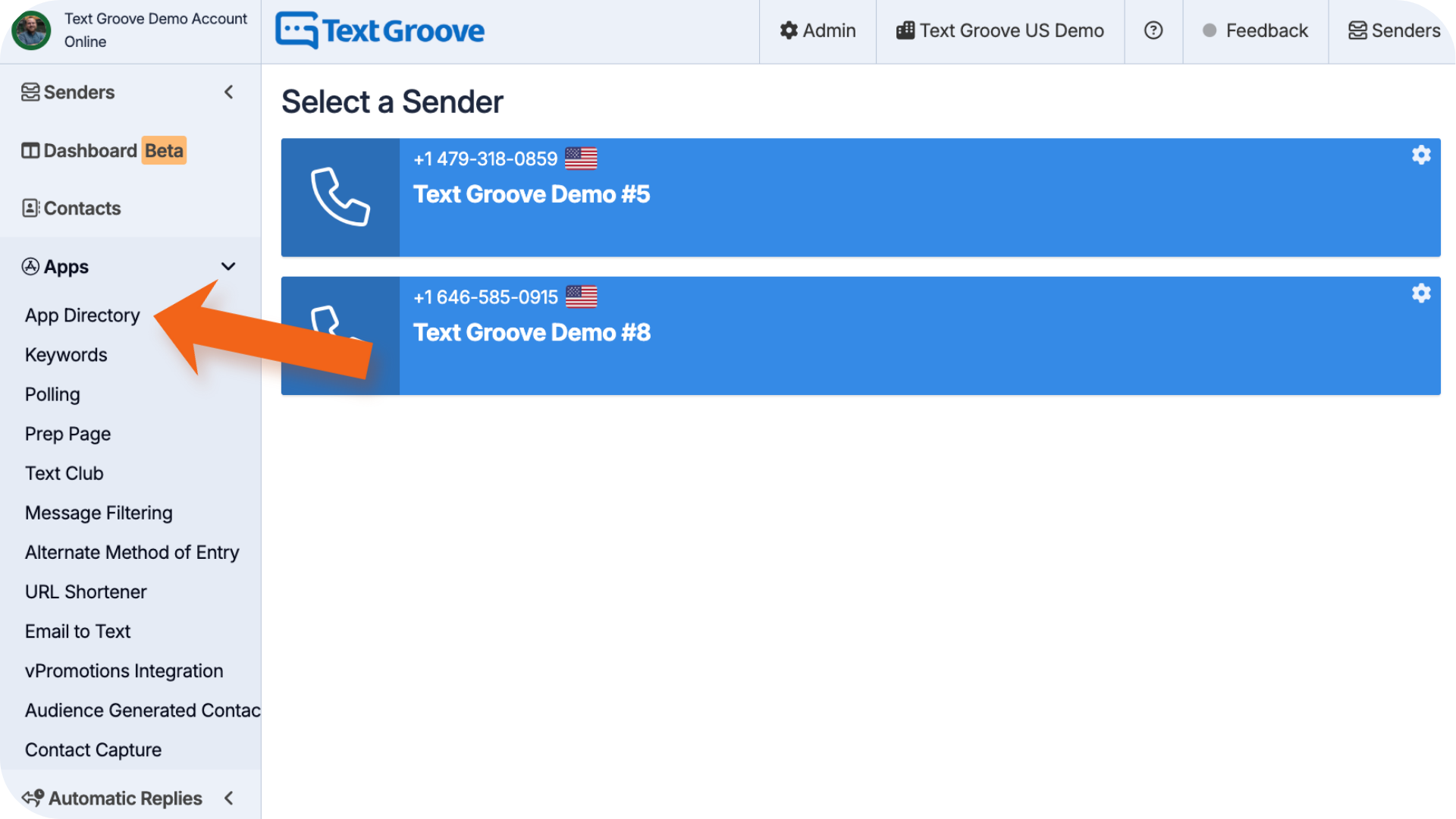
- Go to the App Directory in your Text Groove dashboard
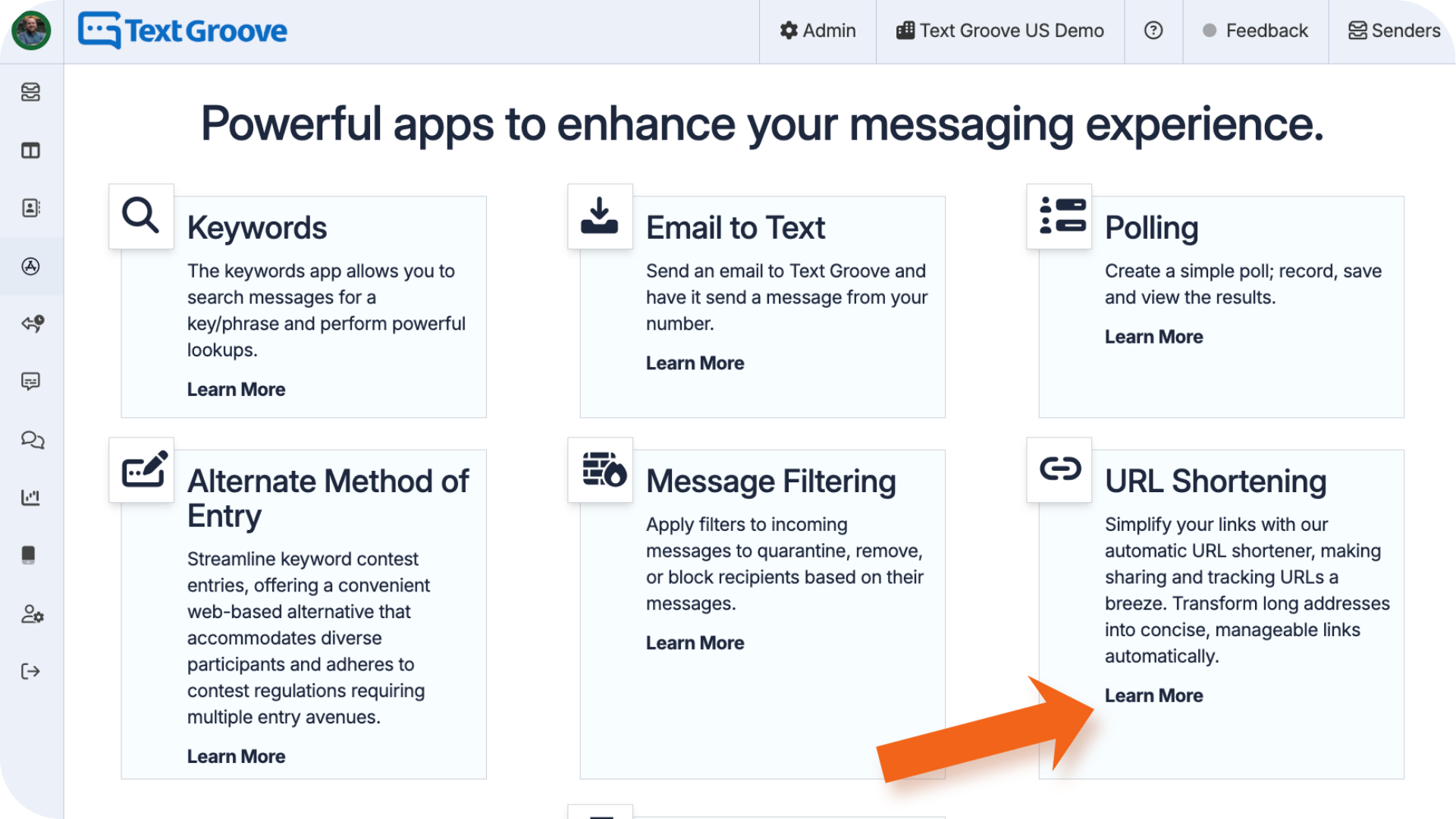
- Find URL Shortener App and click Learn More
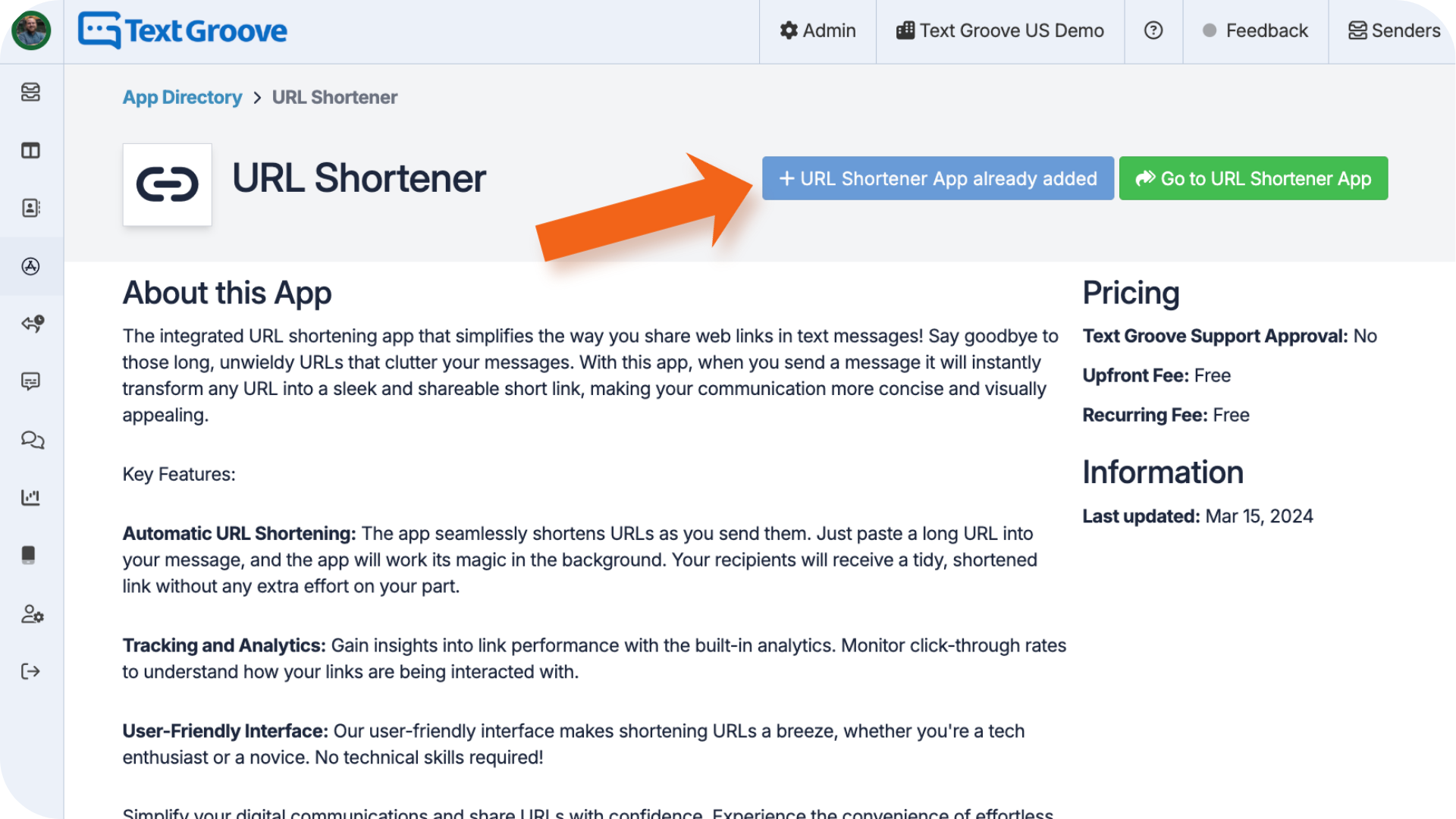
- Click Install (if the app is already installed the button will be greyed out)
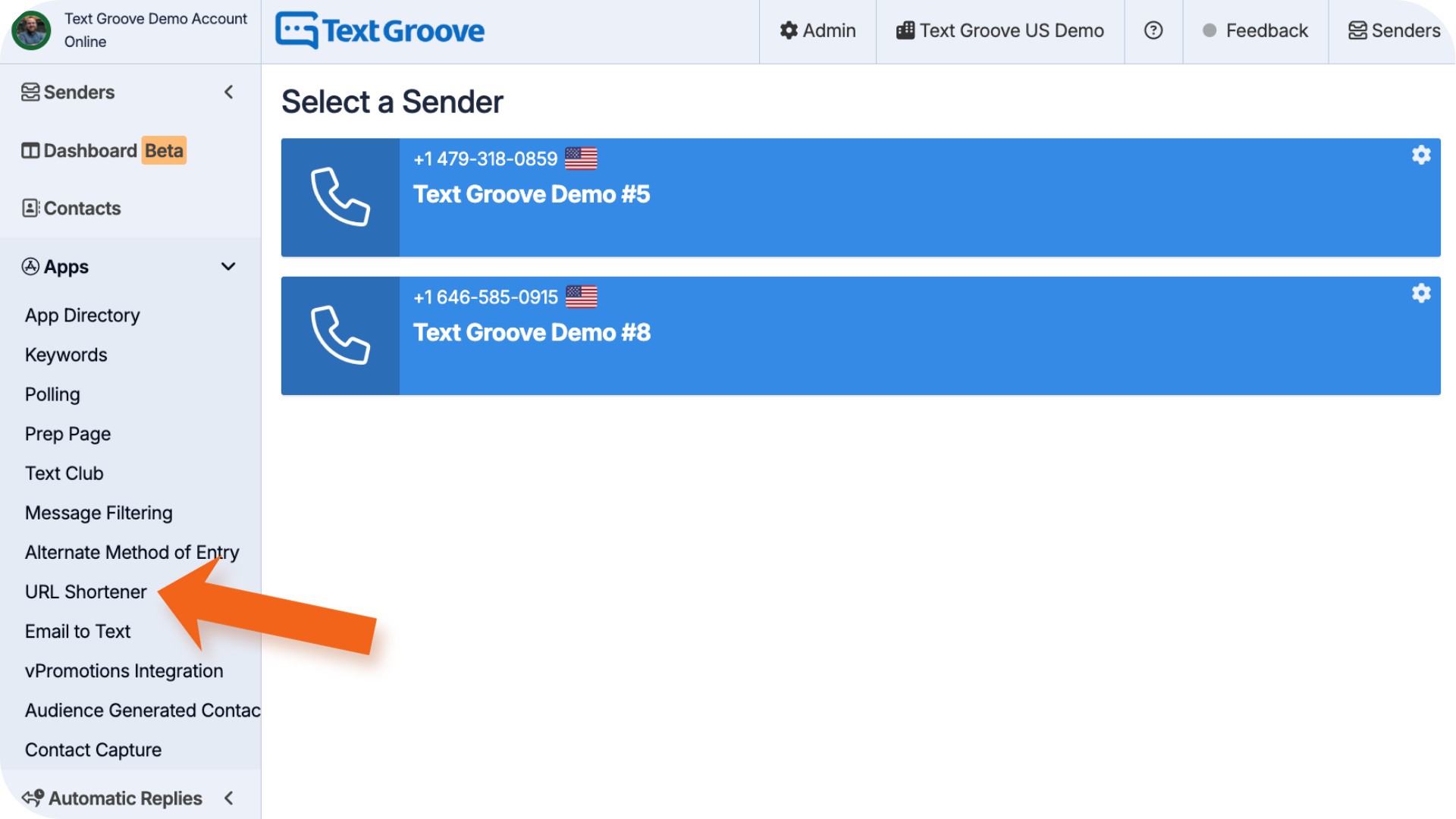
Once added, it appears under Apps in the left side menu. The app starts running automatically. You don’t need to turn it on manually.
How to Use the URL Shortener App
Once installed, the app shortens all URLs automatically as soon as you send a message. This applies to:
- 1:1 messages
- Auto replies
- Keyword-triggered messages
- Polling responses
To shorten a link:
- Copy a URL from any safe website
- Paste it into your message
- Send the message
Once sent, Text Groove automatically shortens the link.
How to Track URL Clicks
Want to see how many people clicked your link?
- Go to Apps > URL Shortener
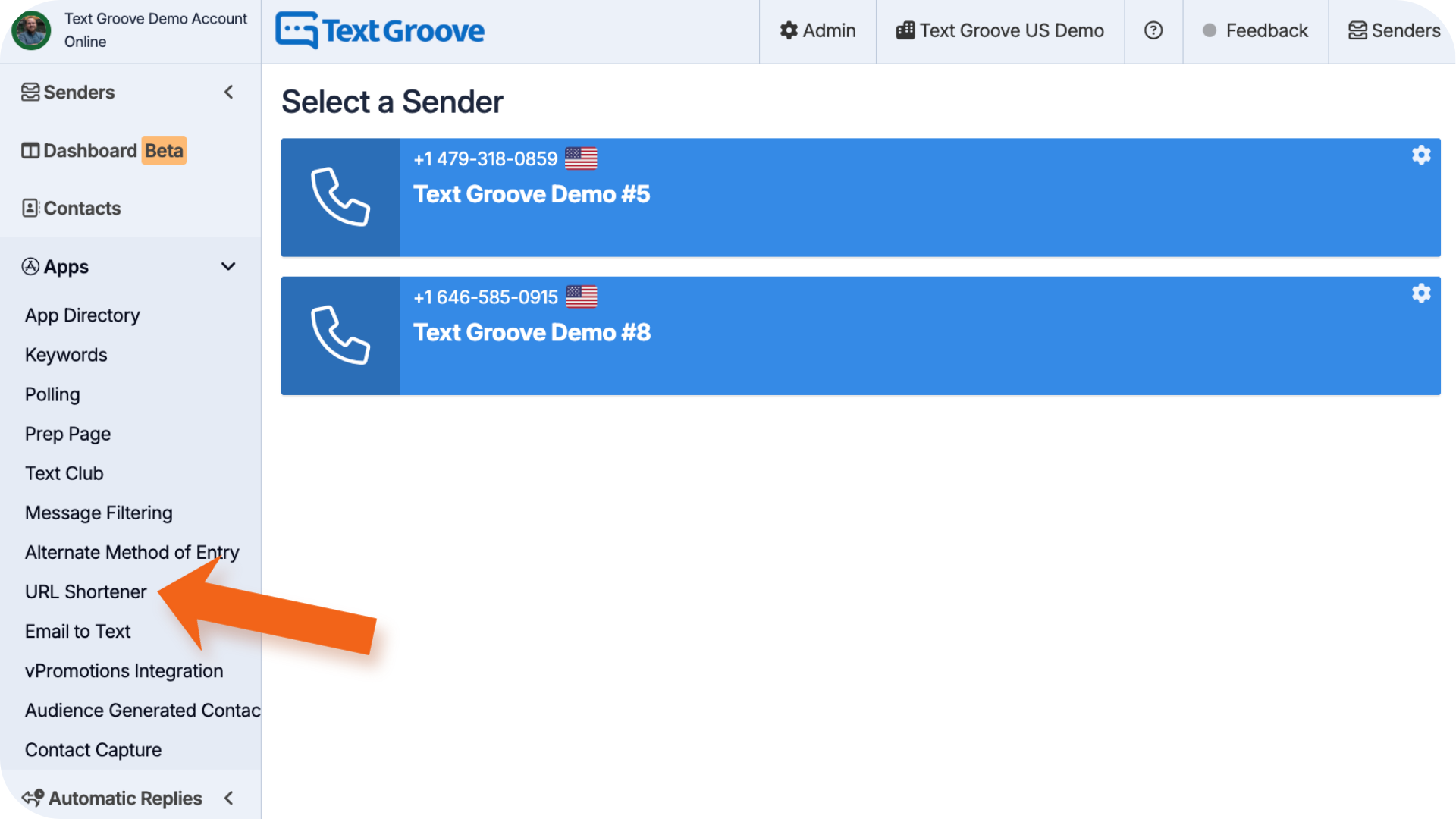
- View the list of shortened URLs and their click stats
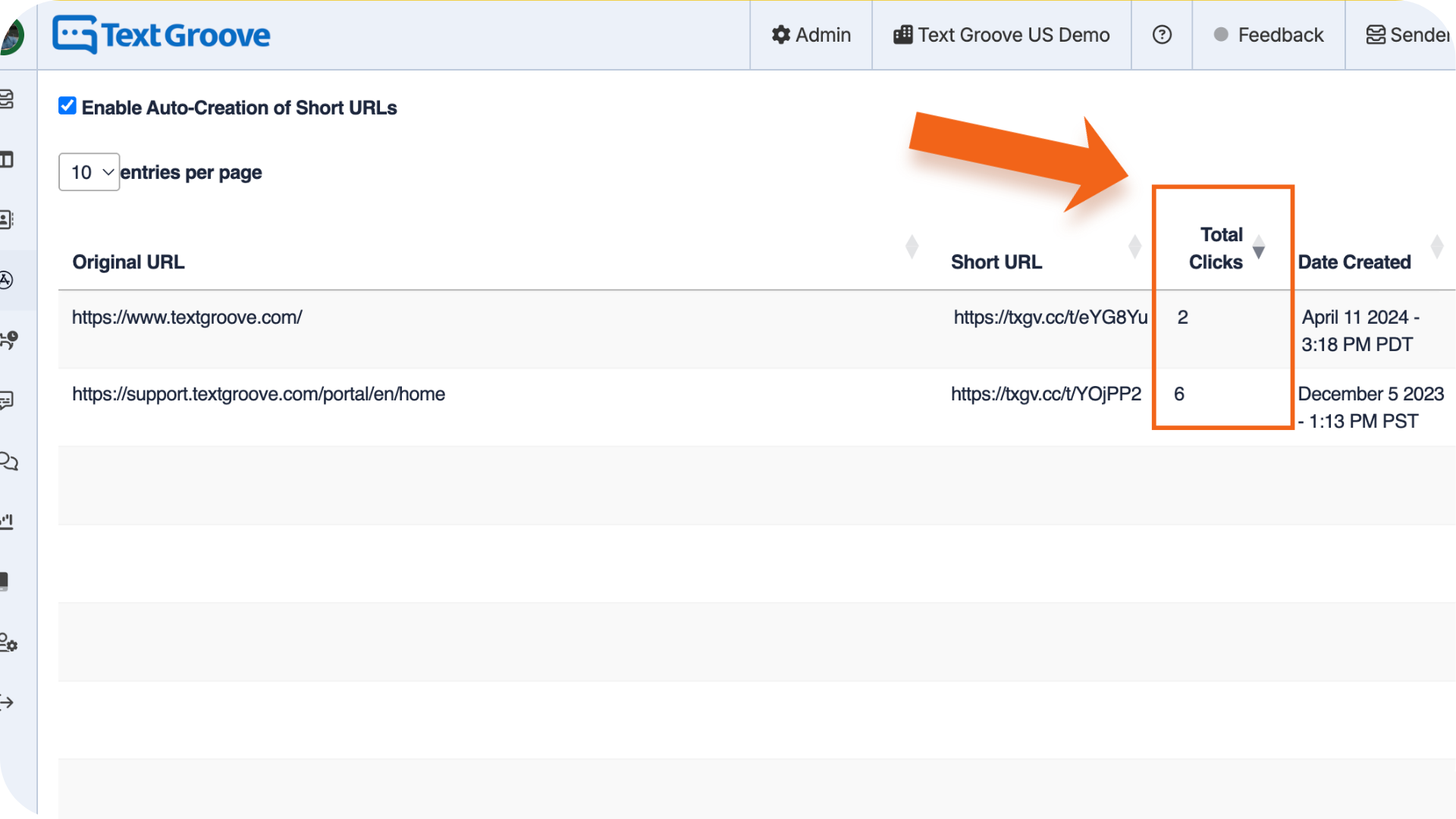
This shows how many clicks each link received so you can track engagement.
Was this article helpful?
That’s Great!
Thank you for your feedback
Sorry! We couldn't be helpful
Thank you for your feedback
Feedback sent
We appreciate your effort and will try to fix the article