Overview
Contact Capture is a Text Groove feature that automatically sends new texters a link to a simple web form where they can share their contact details. Once they fill it out, their name, email, location, and birthday are saved directly to their profile in the platform. You don't have to ask for anything manually.
How it Works
When Contact Capture is enabled on your number, here's what happens:
- A listener texts your station for the first time.
- They automatically receive your Welcome Message with a link to your "Share Your Contact Details" form.
- They fill in their details (name, email, location, and birthday).
- Their information is saved directly to their contact profile in Text Groove.
- They're taken to a Confirmation Page where they can optionally add your contact card to their phone.
That's it. No manual follow-up needed on your end.
Where to Find Contact Capture
There are two ways to get to it:
Option 1: Through the App Directory
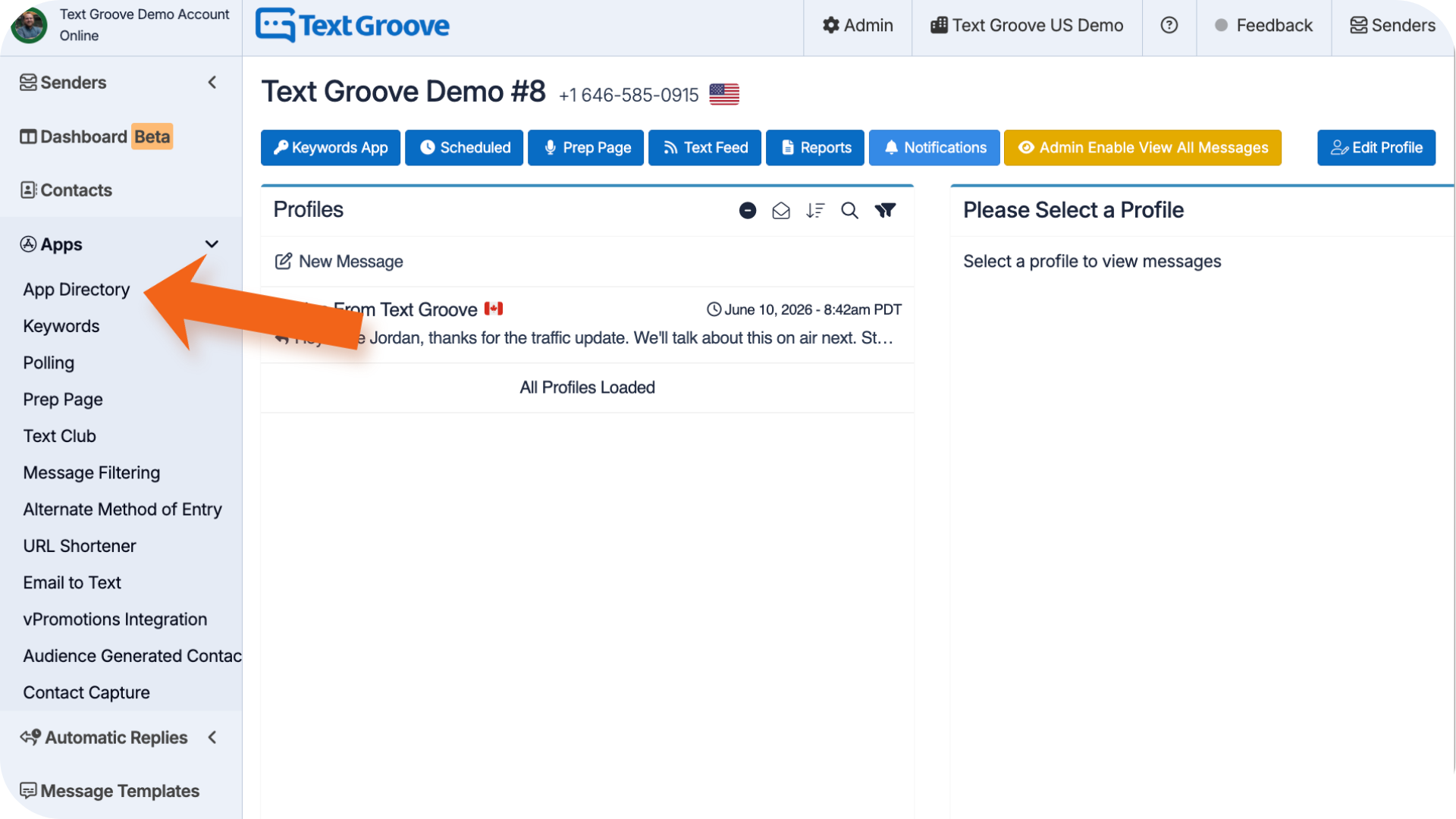
- Head to the App Directory inside Text Groove and look for Contact Capture Left Side Menu > Apps > App Directory.
- Click in to connect it to your sender and configure your settings
.
Option 2 : Through Sender Settings
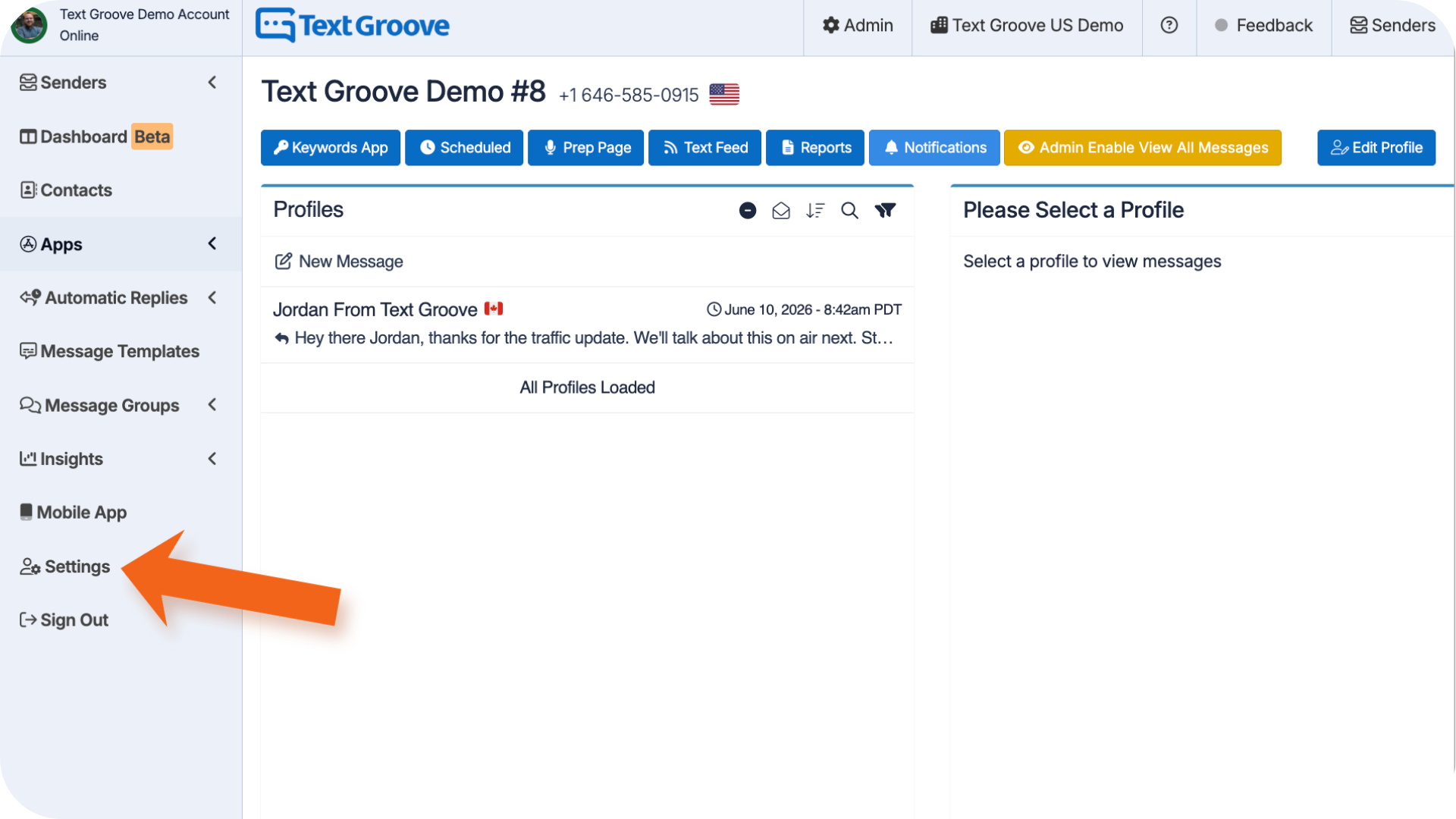 Go to Settings > Numbers > Manage Numbers.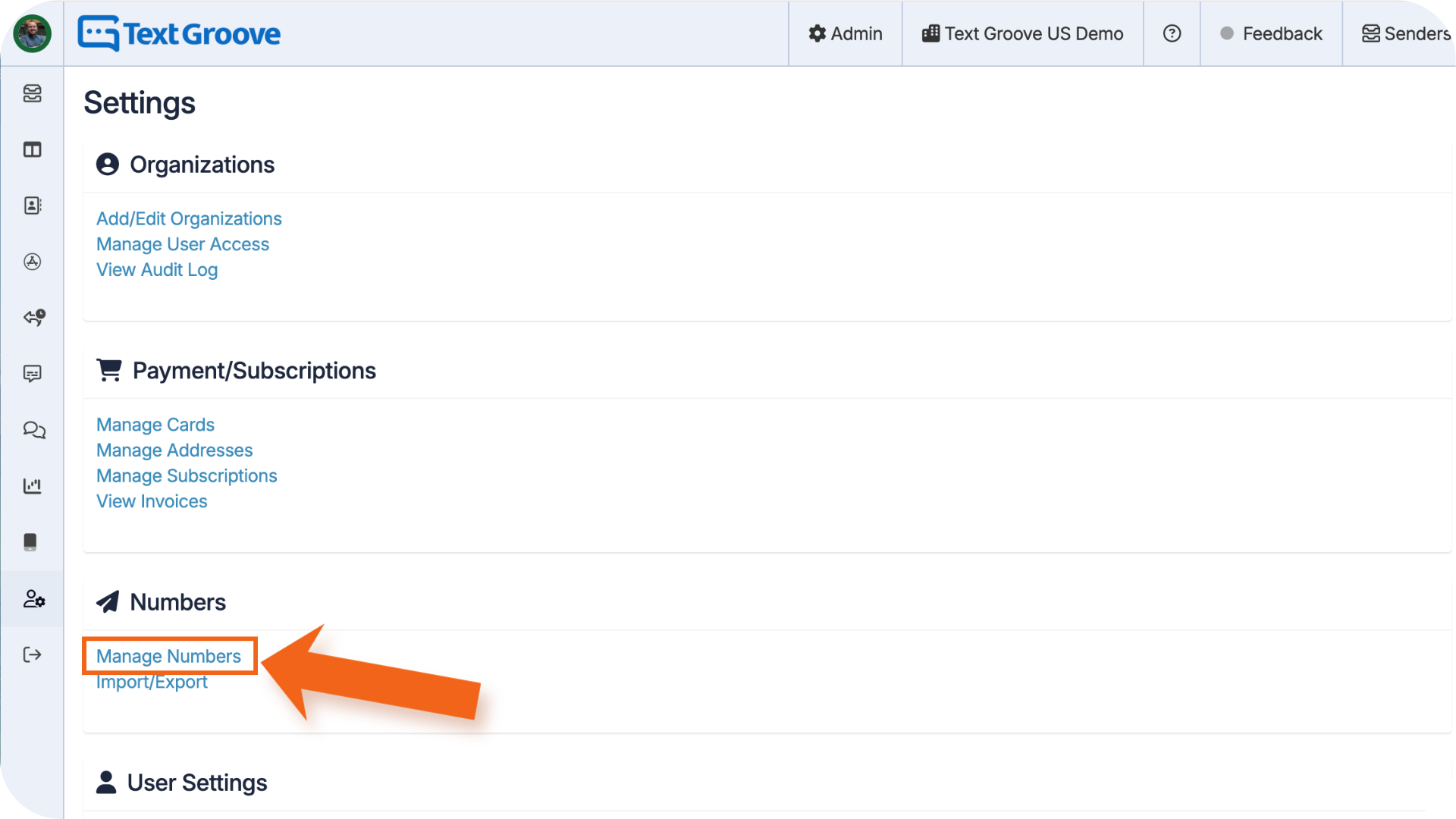
- Click the yellow Edit Sender icon next to the number you want to configure.
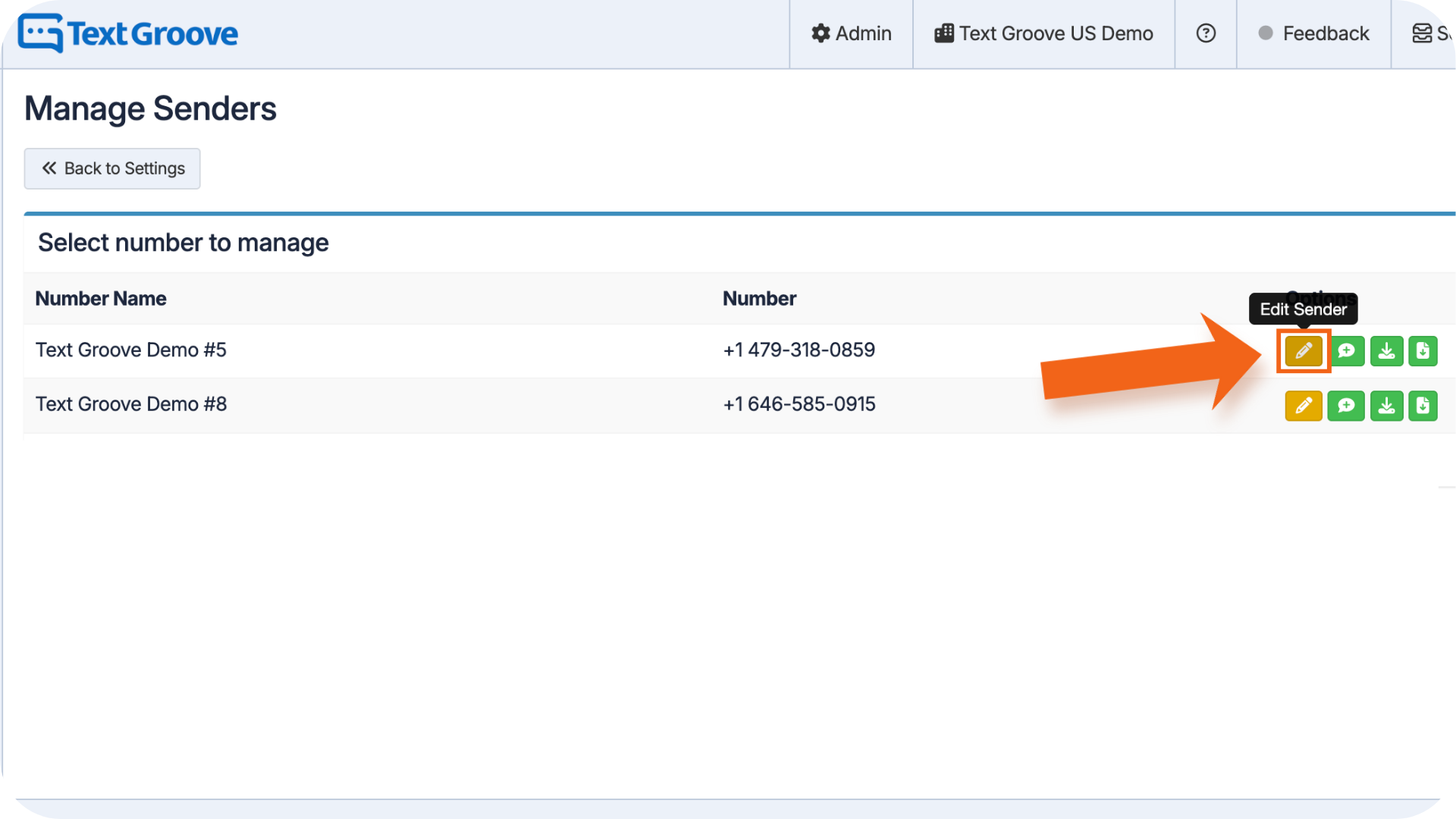
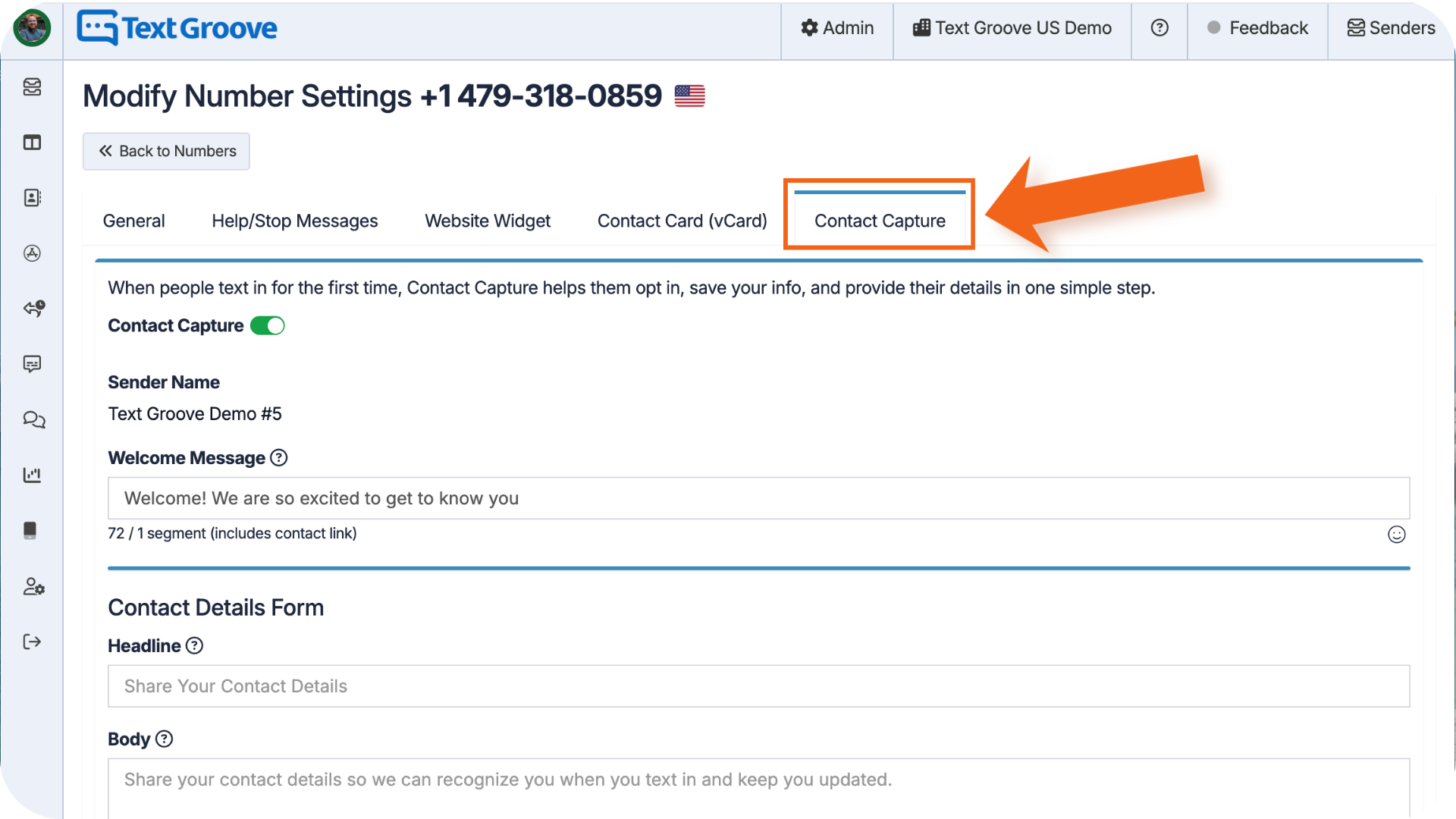
- Select the Contact Capture tab
How to Enable Contact Capture
- Toggle Contact Capture on at the top of the tab.
- Review your Sender Name (this is pulled from your number settings automatically).
- Write your Welcome Message. This is the first message a listener receives when they text in. We'll automatically add the Contact Capture link to the end of it, so you don't need to include a link yourself.
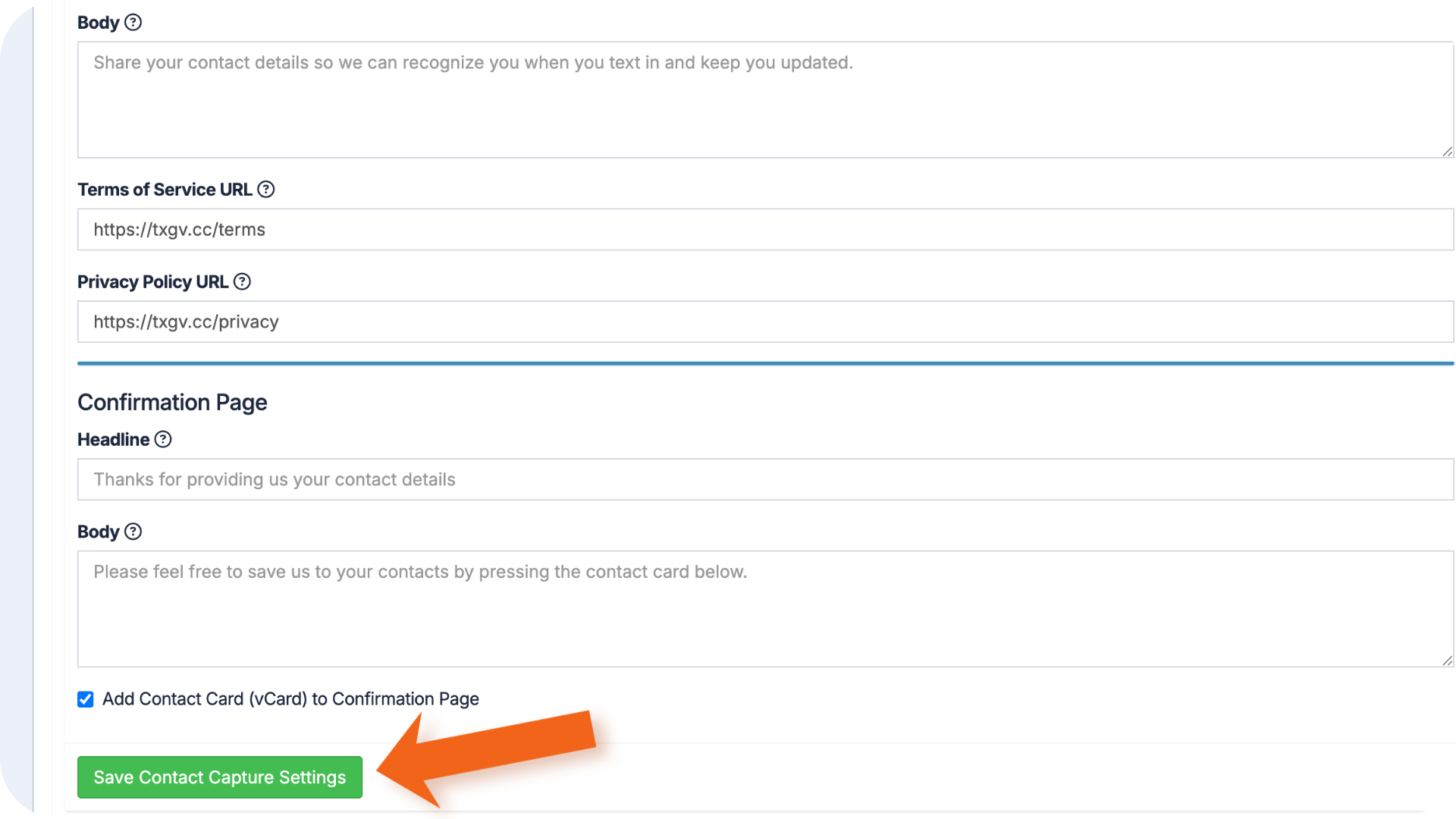
- Customize your Contact Details Form (see below).
- Customize your Confirmation Page (see below).
- Click Save Contact Capture Settings.
What you can Customize:
Contact Details Form:
This is the web form your listeners fill out. You can set:
- Headline - the title at the top of the form. Defaults to "Share Your Contact Details."
- Body - a short description or call to action below the headline. Use this to tell listeners why you're collecting their info or what they'll get out of it.
- Terms of Service URL - if your station has its own Terms of Service page, add the link here. If you leave this blank, we'll use Text Groove's default link.
- Privacy Policy URL - same as above. Add your station's link, or we'll fall back to Text Groove's default.
Confirmation Page:
This is the page listeners see after they submit their details. You can set:
- Headline - defaults to "Thanks for providing us your contact details."
- Body - a thank-you message or call to action. Use this to let them know what's next or just to say thanks.
- Add Contact Card (vCard) to Confirmation Page - check this box if you want listeners to be able to add your contact card to their phone right from the confirmation page. We'll show the right button based on their device (iOS or Android), and always include a universal .vcf download link as a fallback.
What Listeners See:
On the web form, listeners will see:
- Your station logo or avatar
- Your sender name and masked phone number (the first 6 digits are hidden)
- The headline and body text you've set
- Fields for their name, email, location, and birthday (month and day only, no year)
- Required legal opt-in text at the bottom
The opt-in text reads: "By clicking 'Subscribe' below, you agree to the Terms of Service and Privacy Policy and consent to receive recurring messages at the number above. Message frequency varies. Message and data rates may apply. Message HELP for help, STOP to opt-out." The Terms of Service and Privacy Policy words are clickable links that open in a new tab.
On the Confirmation Page, listeners will see:
- Your logo or avatar, sender name, and masked phone number
- A "Contact details confirmed" message
- A button to add your contact card to their phone (if you've enabled that option)
- A universal .vcf download link as a fallback
Notes:
- No duplicate sends: Contact Capture is only sent once per opt-in session. If a listener has already received the link, we won't send it again, even if they text in multiple times after that.
- Existing contacts: If someone was already texting your station before you turned Contact Capture on, they'll still get the link the next time they text in. Even if you have some of their info already saved, they can still fill in or update their details themselves.
- Partial info is fine: If a listener's profile already has some information saved, they can still overwrite or add to it through the form.
- Contact Capture includes required legal opt-in language at the bottom of the web form:
"By clicking 'Subscribe' below, you agree to the Terms of Service and Privacy Policy and consent to receive recurring messages at the number above. Message frequency varies. Message and data rates may apply. Message HELP for help, STOP to opt-out."
Terms of Service and Privacy Policy links are clickable and open in a new window. They use your station's stored links by default, or fall back to Text Groove's default links if none are set.
Was this article helpful?
That’s Great!
Thank you for your feedback
Sorry! We couldn't be helpful
Thank you for your feedback
Feedback sent
We appreciate your effort and will try to fix the article